Configurable rules
Choose a length from 8 to 30 characters and include uppercase, lowercase, numbers, and symbols with adjustable minimum counts.
Salesforce · LWC · Experience Cloud · Security
A secure, configurable password generator that runs entirely in the browser and can be placed on Salesforce or public Experience Cloud pages.
Product experience
The component combines precise password rules with immediate strength feedback, show-or-hide controls, regeneration, and one-click copying.
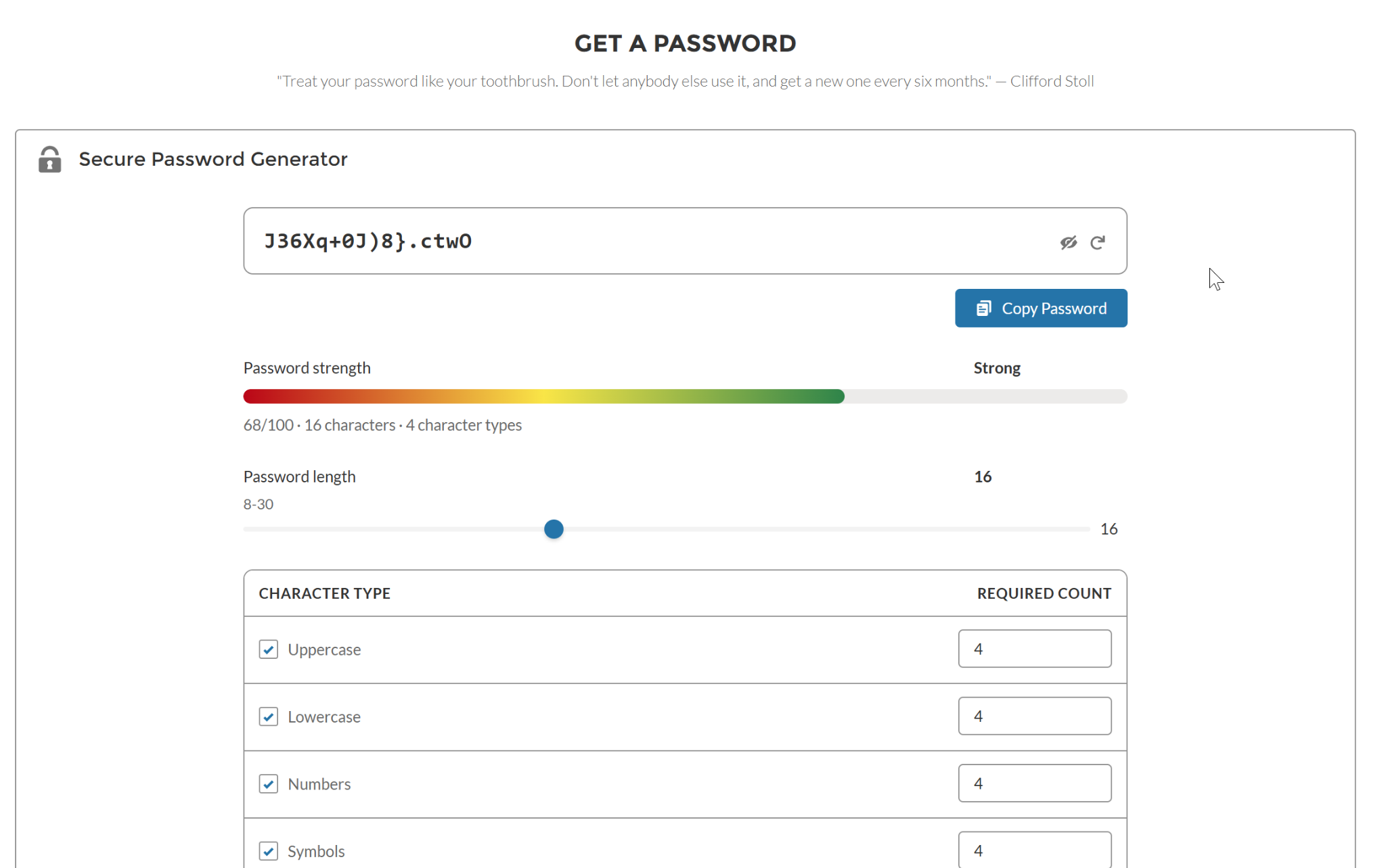
A 16-character password using uppercase, lowercase, numbers, and symbols, with minimum counts and a clear strength assessment visible before copying.
02 / Design goal
Password tools should help users create stronger credentials without quietly creating another place where those credentials could be exposed.
This component generates every password inside the user’s browser. It does not call Apex, read or write Salesforce records, store generated values, or send passwords back to Salesforce. That architecture makes it suitable for authenticated Lightning pages as well as public Experience Cloud experiences.
Component capabilities
Choose a length from 8 to 30 characters and include uppercase, lowercase, numbers, and symbols with adjustable minimum counts.
A strength indicator explains the result using the score, length, and number of selected character types.
Generate another password, show or hide the value, exclude ambiguous characters, and copy the result with one action.
Keyboard controls, accessible labels, and a layout that adapts across desktop and mobile experiences.
Privacy boundary
The component deliberately avoids server-side processing and persistent data pathways.
Project link
The public repository includes the Lightning Web Component, Experience Cloud targets, feature documentation, and deployment guidance.