Organization-wide visibility
Dynamically reads limits exposed by System.OrgLimits.getMap() with positive maximum values. The dashboard shows usage, remaining capacity, percentage consumed, and Normal, Warning, or Critical status.
Selected work · Org Monitoring
Org Monitoring brings current Salesforce organization-limit usage, scheduled historical snapshots, and consolidated threshold alerts into one application. Administrators can define the monitoring policy, investigate readings, and control retention without stitching together a separate reporting process.
Capabilities
Dynamically reads limits exposed by System.OrgLimits.getMap() with positive maximum values. The dashboard shows usage, remaining capacity, percentage consumed, and Normal, Warning, or Critical status.
Run every 1, 2, 4, 6, 8, 12, or 24 hours on selected weekdays, with a configurable offset from midnight. Scheduling follows the time zone of the scheduling user.
Configurable Warning and Critical thresholds feed a single HTML and plain-text email summarizing breached limits, rather than an individual message for each limit.
Persist historical readings for search, sorting, and date filtering. Batch cleanup supports 30, 60, 90, or 120 days of retention, or Keep Forever, with run audit records for operational visibility.
Inside the application
Actual application screenshots show the production experience and the dedicated demo mode. Open any image to inspect it at full size.
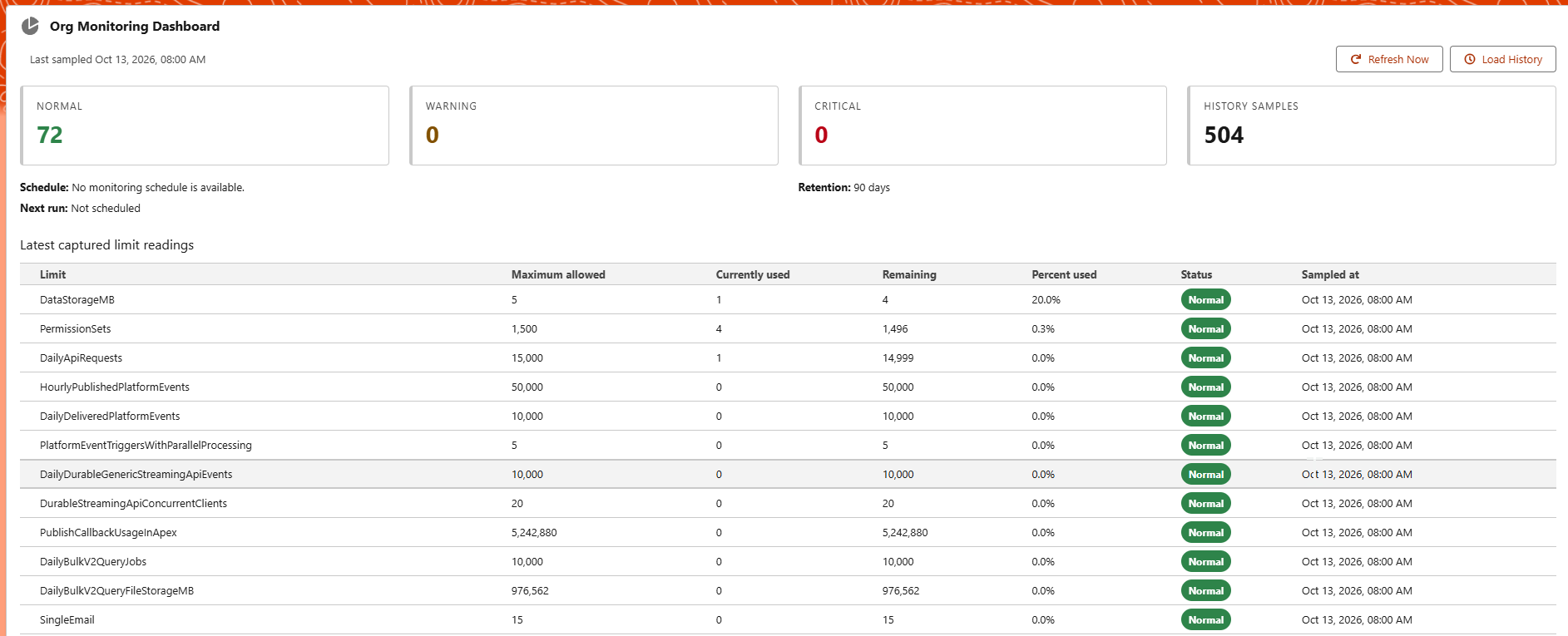
Current usage, status counts, historical sample totals, and scheduling context in one operational view.
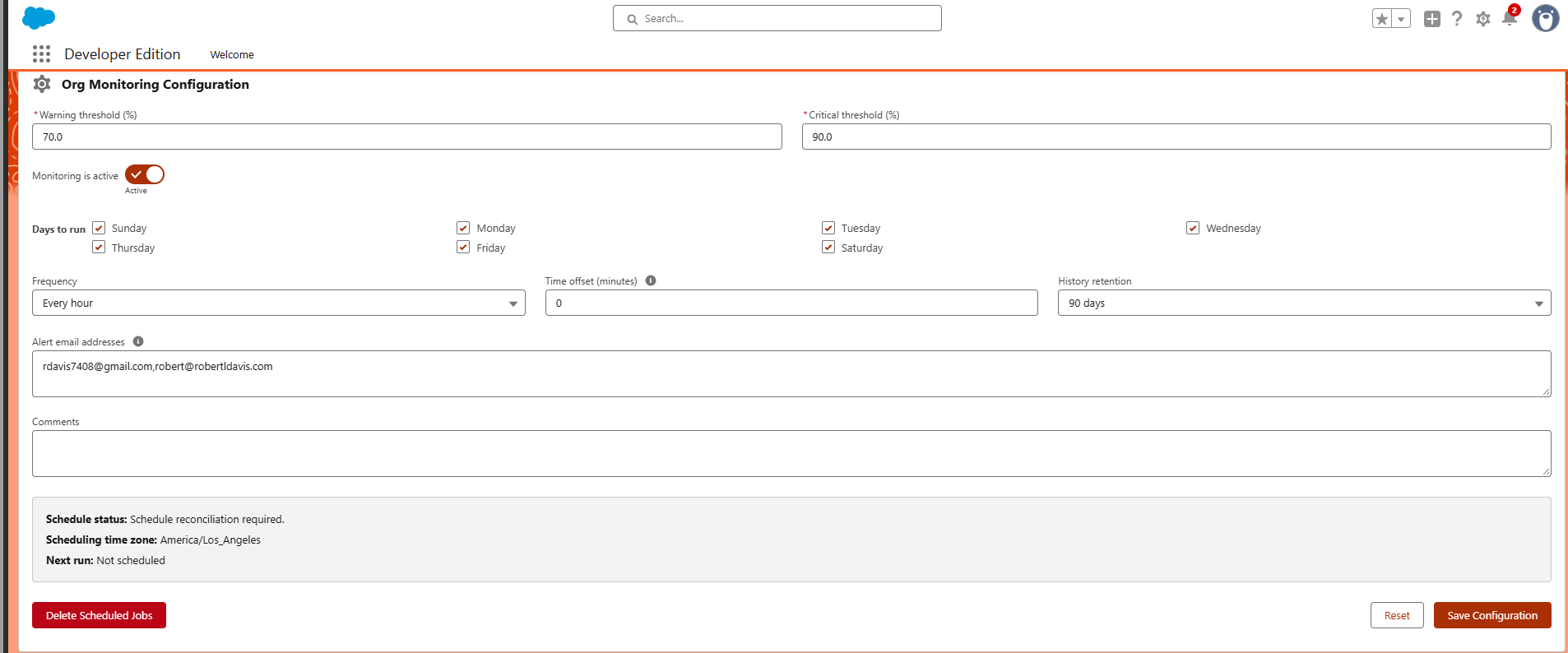
Configure thresholds, run days, frequency, time offset, retention, and email recipients; manage scheduled jobs from the same interface.
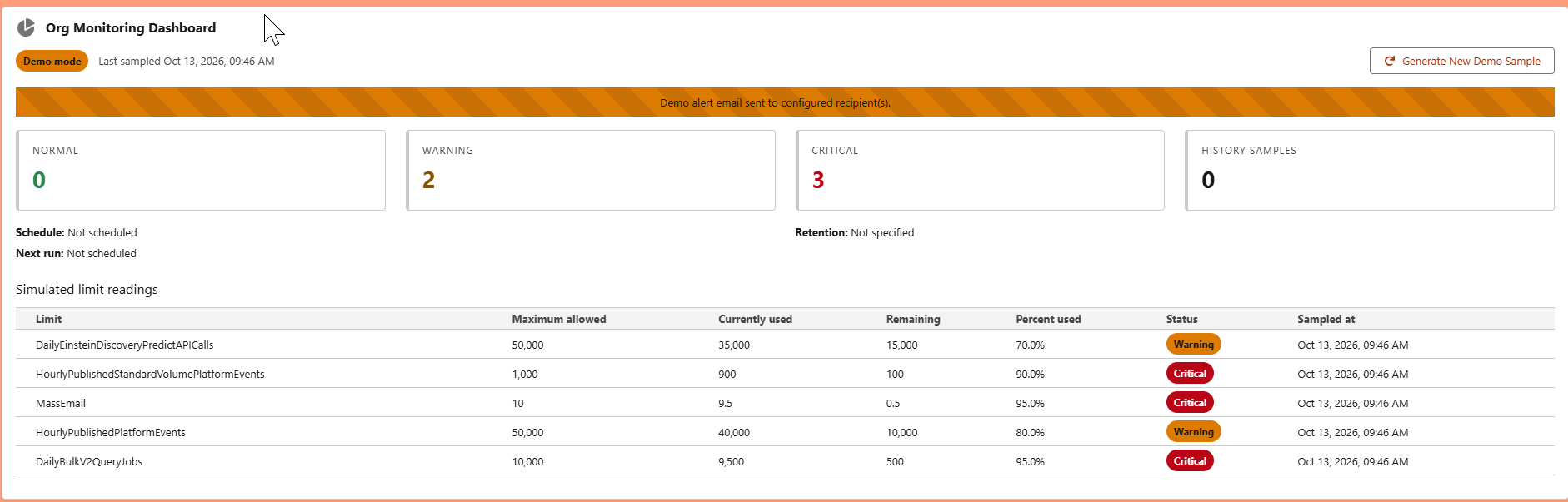
Simulate Warning and Critical conditions using actual limit names without saving simulated readings or changing production schedules.
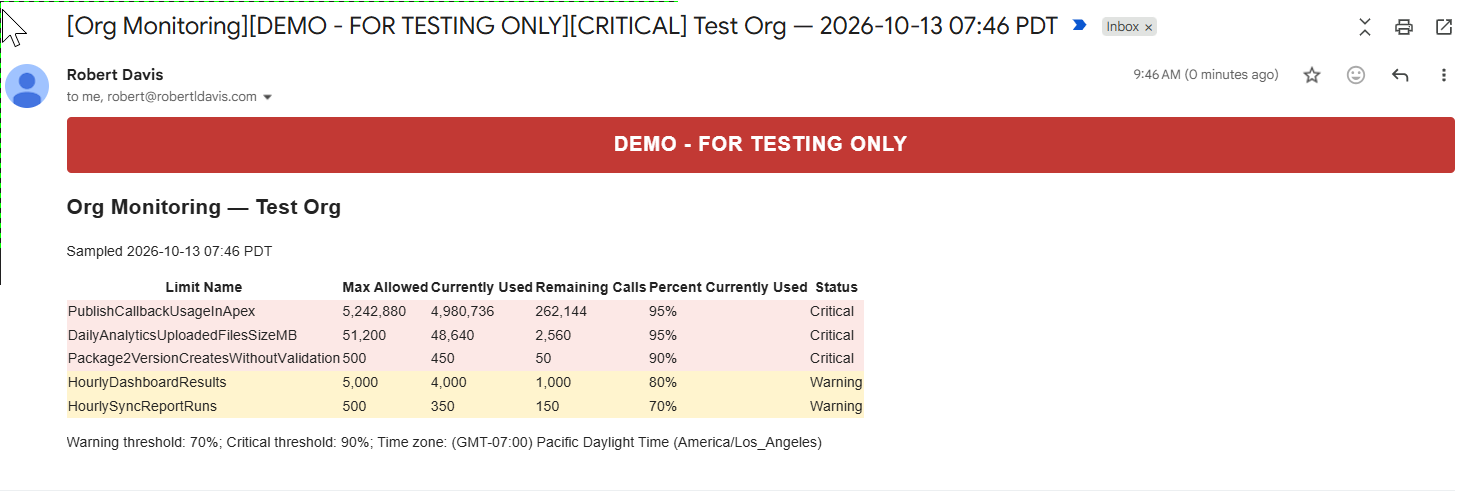
Review actionable limit metrics in a single notification. Demo emails are clearly labeled DEMO – FOR TESTING ONLY.
Architecture & controls
Three custom objects separate configuration, historical limit snapshots, and monitoring run audits. The repository includes Apex and LWC Jest tests alongside the application source.
The Org Monitoring Administrator permission set and Manage Org Monitoring custom permission provide the administrative access boundary.
Controllers expose the UI entry points; services coordinate monitoring, configuration, scheduling, and email; selectors and repositories isolate data access. Scheduled and batch Apex handle recurring work and cleanup.
Coverage is limited to organization limits exposed by System.OrgLimits.getMap(). Salesforce email limits still apply, and the scheduling user's time zone determines run times.
Getting started
Assign the Org Monitoring Administrator permission set, activate the supplied Org Monitoring Lightning page or add the two components to your own page, and initialize the Default configuration. Then choose thresholds, recipients, frequency, and retention. The GitHub README provides the complete configuration reference and known limitations.
Explore the project
Start in a Salesforce sandbox and validate the configuration before installing in production. Package version: 0.1.0-1.