Dynamic schema
Administrators select the object and fields, including relationship fields such as Account.Name and Owner.Name, without changing component code.
Salesforce · Apex · LWC · Experience Cloud
A reusable data grid that lets administrators configure the object, fields, filtering, presentation, and result limits while giving users search, sorting, and server-side pagination.
Configure once, reuse broadly
The paired views show the same component at two important moments: configuration in Experience Builder and use on the published community page.
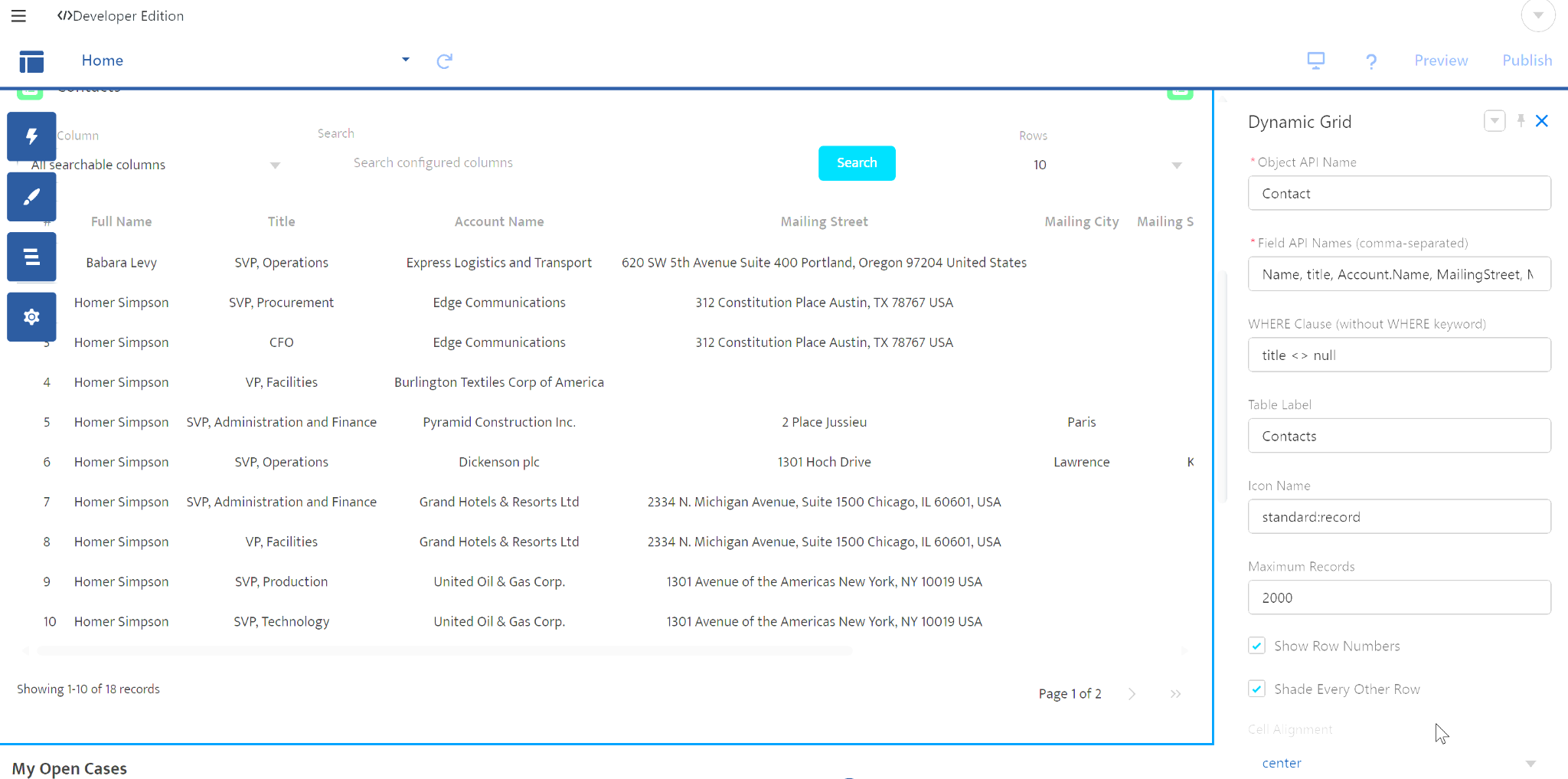
Administrators define the object, field list, WHERE clause, table label, icon, maximum records, row numbering, alternating shading, and alignment without editing the component.
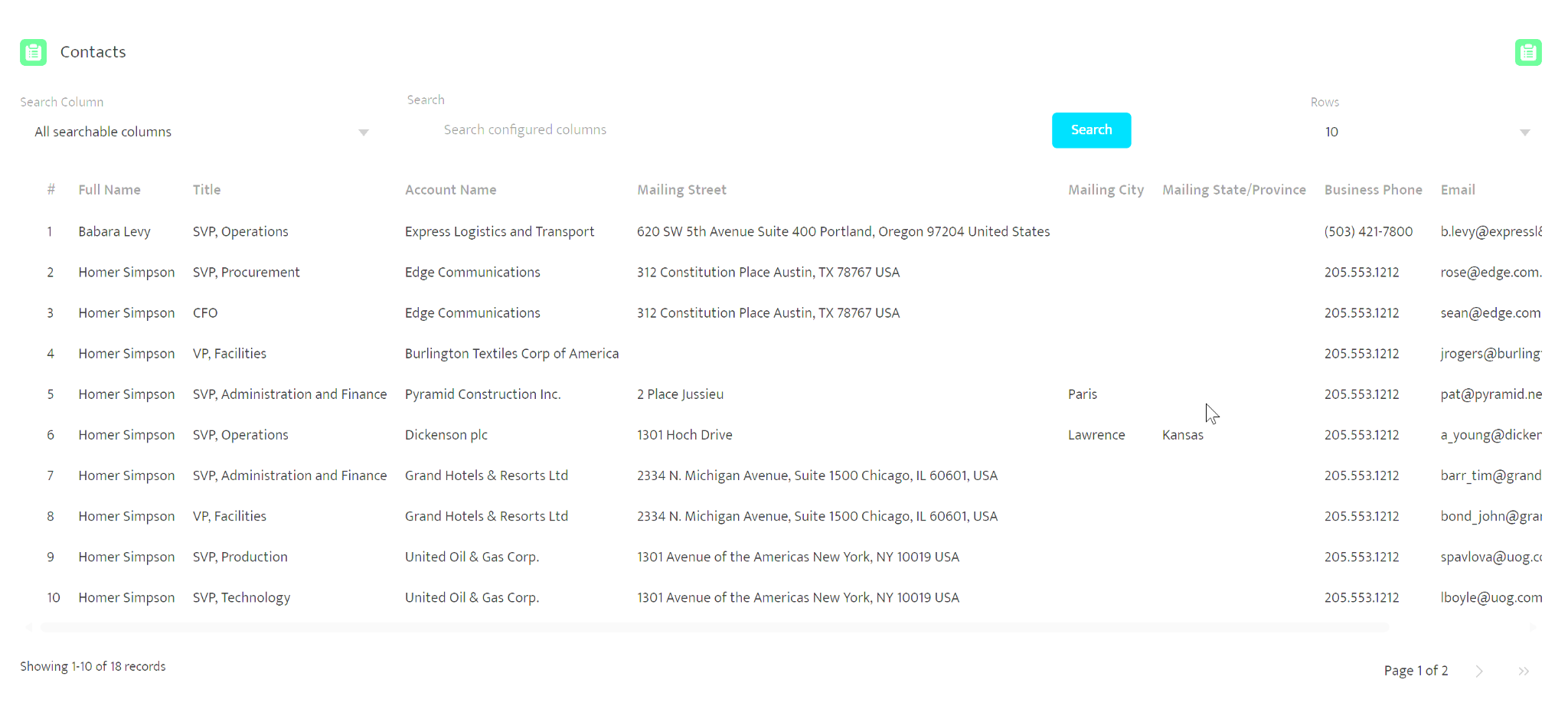
The configured table rendered for users with searchable columns, a search action, selectable row count, relationship data, row numbering, horizontal overflow handling, record counts, and multiple pages.
03 / The problem
Salesforce teams repeatedly need searchable tables, but hard-coding an object and field set creates another component to own every time the requirement changes.
The Dynamic Data Table moves those decisions into trusted administrator configuration. One component can support different objects, fields, labels, icons, filters, and display choices while preserving a consistent user experience and a controlled query path.
User experience
Administrators select the object and fields, including relationship fields such as Account.Name and Owner.Name, without changing component code.
Users can search all configured searchable fields or one selected column, then sort results through server-side processing.
Server-side pagination supports page sizes of 10, 20, or 50 records while a configurable cap keeps the OFFSET-based design bounded.
Experience Builder properties control the label, SLDS icon, row numbers, alternating-row shading, alignment, filter, and maximum result count.
Architecture and security
SOQL runs in user mode so record access and platform security remain part of the execution model.
Object and field names are checked against describe metadata, and inaccessible fields are omitted.
Data access and controller responsibilities are separated to keep query behavior maintainable and testable.
The administrator-entered WHERE clause is powerful by design and must remain controlled configuration—not URL or end-user input.
Deliberate constraint
The current design favors a clear, reusable Experience Cloud component for bounded result sets. Larger datasets should move to keyset or seek pagination rather than pretending OFFSET scales forever.
Project links
The public repository documents the architecture, security considerations, configuration model, demonstration, and unlocked package.