Announcements with a window
Publish project milestones, rollout notices, and reminders using optional start and end dates. Configure display order and use carousel keys to show different content in different placements.
Selected work · Communication Center
Communication Center brings project announcements and frequently asked questions into Salesforce. Two Lightning Web Components give users a place to see what is changing and find practical answers, while administrators manage the content through familiar Salesforce records.
Inside the application
Actual Salesforce screenshots show the user experience and the records behind it. Open any image to inspect it at full size.
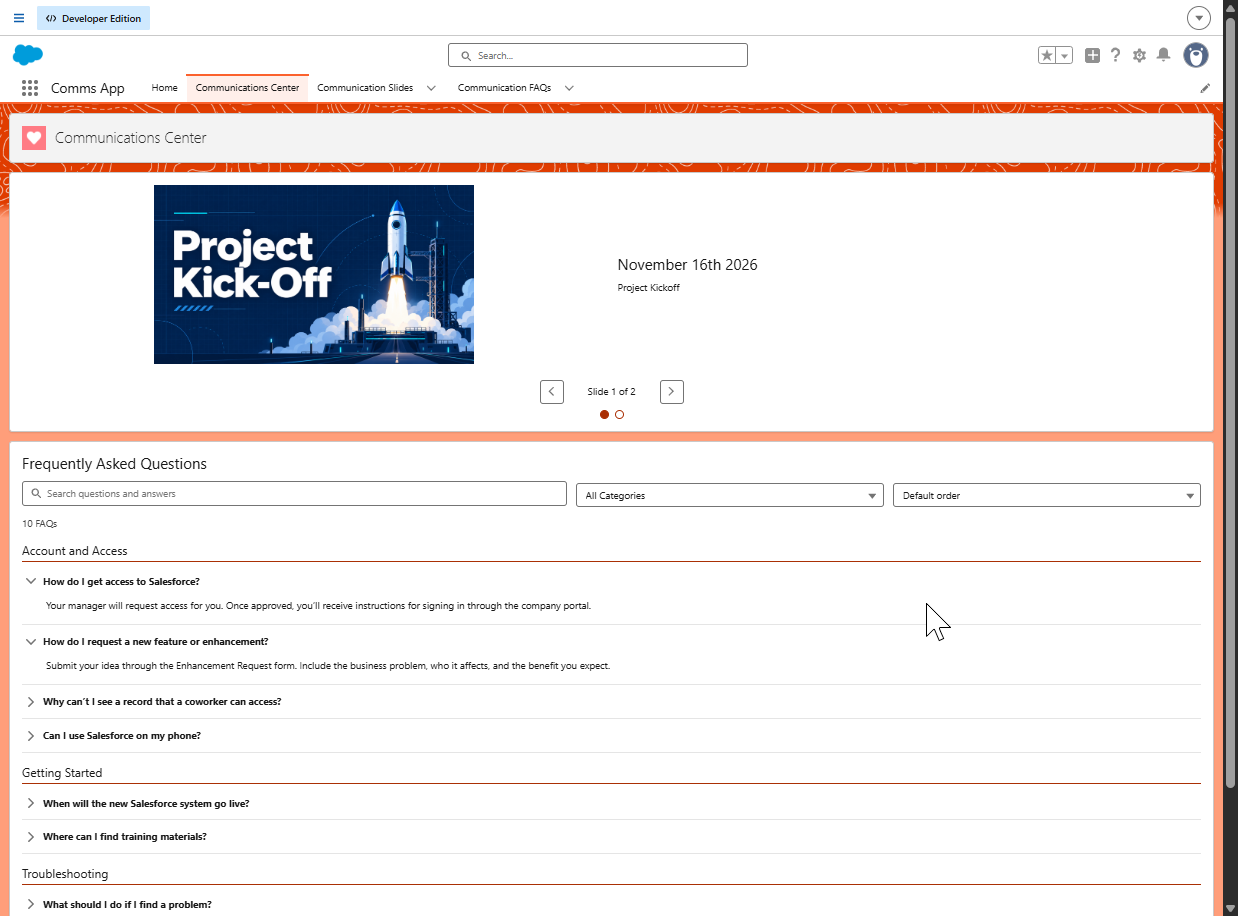
A two-slide carousel shows previous and next controls, a Slide 1 of 2 label, and position indicators. This example combines an image with a heading and description, while multiple FAQ answers stay expanded below.
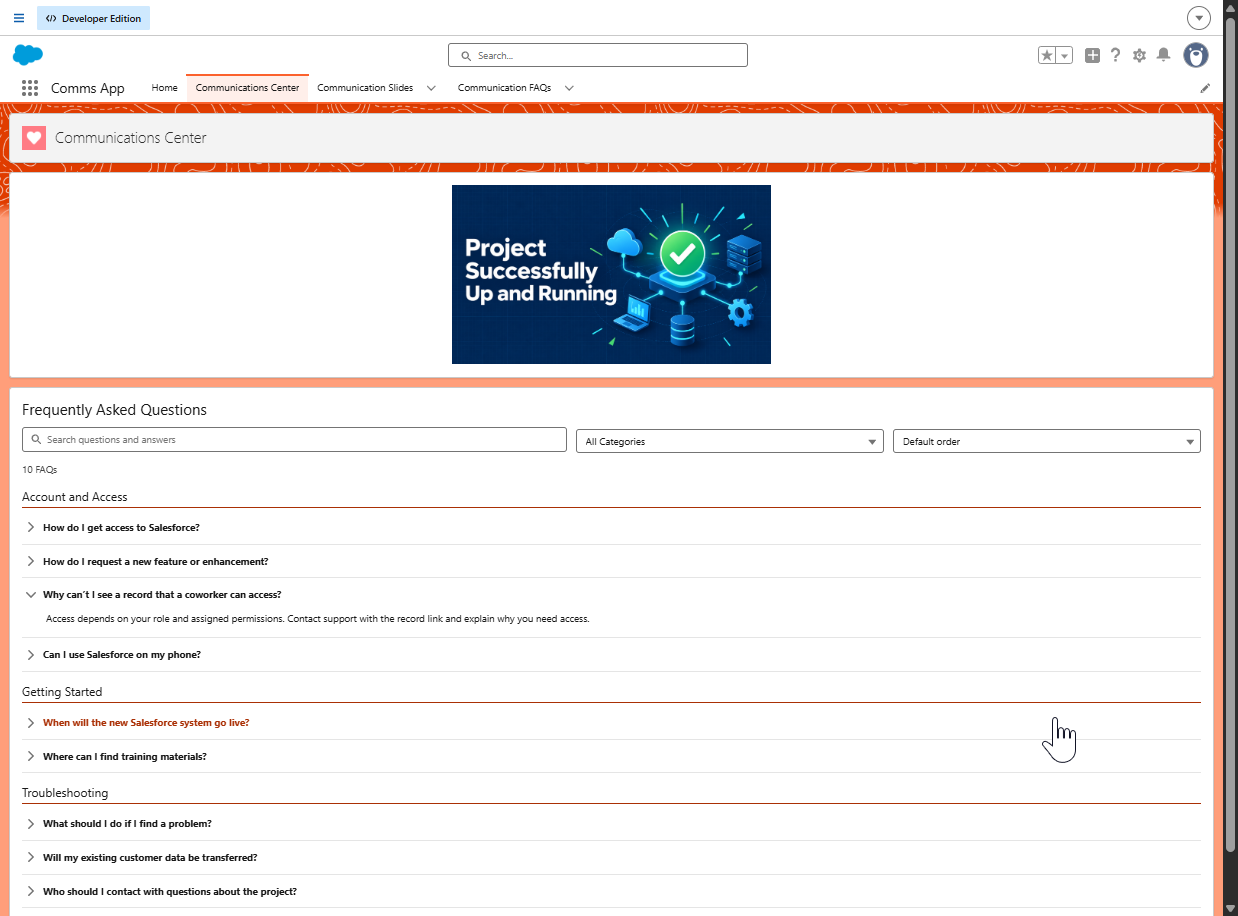
An announcement and categorized FAQs share the same Lightning page. Search, category, and sort controls help users find answers without leaving Salesforce.
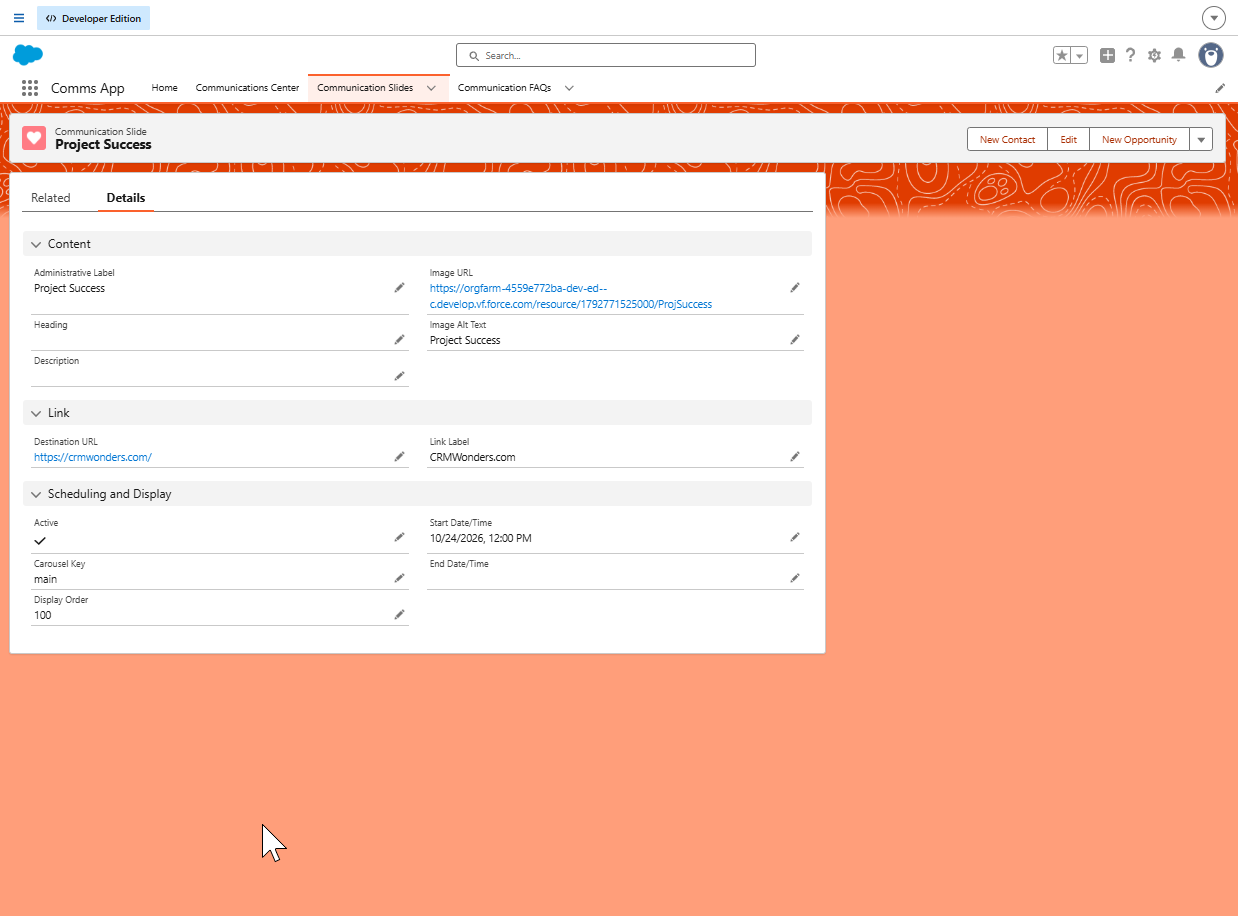
The slide record separates content, destination links, and scheduling. Administrators can prepare a draft, choose its placement and order, and activate it when ready.
Capabilities
Publish project milestones, rollout notices, and reminders using optional start and end dates. Configure display order and use carousel keys to show different content in different placements.
A searchable FAQ accordion brings questions and rich-text answers together, with category filtering, sorting, and optional category grouping. Only active FAQs appear.
Manage announcements and FAQs through Salesforce records in the supplied Comms App. Routine content updates require no code deployment.
Both components can be added to Lightning App, Home, and Record Pages. Configure the carousel image height, slide limit, and refresh interval in Lightning App Builder.
Architecture & controls
Separate custom objects hold slide and FAQ content. Content management stays in Salesforce, while the components handle presentation, navigation, and discovery.
Separate Viewer and Editor permission sets support each feature. Slide records use Private sharing, so readers also need appropriate record access. FAQ records use Public Read/Write internal sharing, with object and field permissions still controlling access.
The carousel separates its LWC presentation, Apex controller, service rules, and selector. The README documents sharing enforcement, CRUD/FLS checks, and user-mode queries.
Slide descriptions display as plain text. Image and destination URLs must use HTTPS, and image-only active slides require alternative text. Navigation is manual, with no automatic rotation.
Deployment notes
Assign the relevant permission sets, configure slide sharing, and add the components to a Lightning page or use the supplied Communications Center App Page. Slides reference image URLs; image hosting and any required Content Security Policy configuration remain org responsibilities.
The carousel also declares Experience Cloud targets, but end-to-end site behavior has not been tested. Guest access is not supported. The repository documents these boundaries and setup steps.
Explore the project
The repository lists released unlocked package version 0.1.0.1. Package installation has not yet been tested; validate it in a sandbox before production use.