Schedule and manage
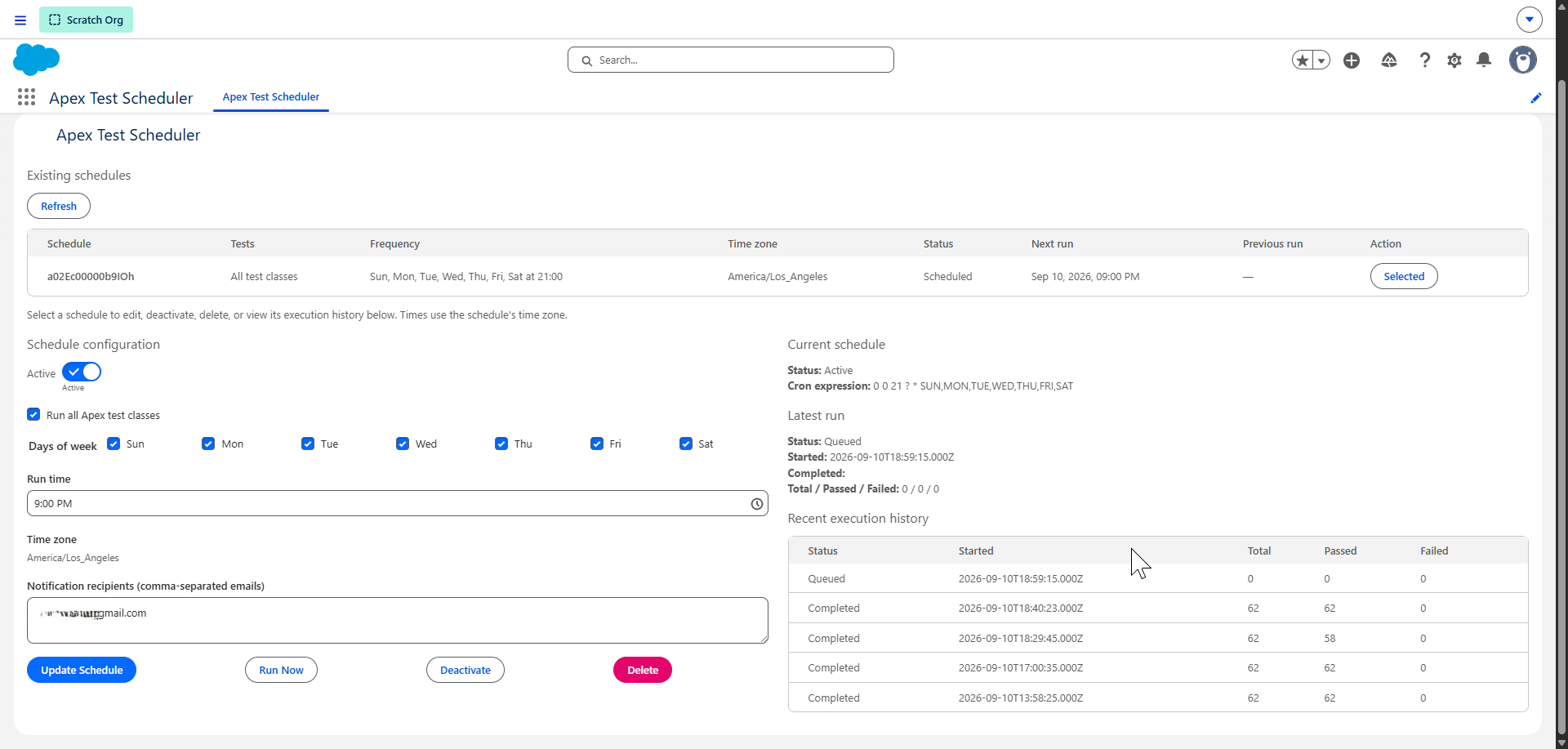
Run all Apex test classes or a selected set. Choose days and a run time, see existing schedules and their next run, and select a schedule to edit, deactivate, or delete.
Newest project · Apex Test Scheduler
A Salesforce application that brings recurring test runs, schedule management, execution history, and completion emails into one Lightning experience.
Inside the app
See what is scheduled, adjust its configuration, run tests now, and review recent results without leaving the app.
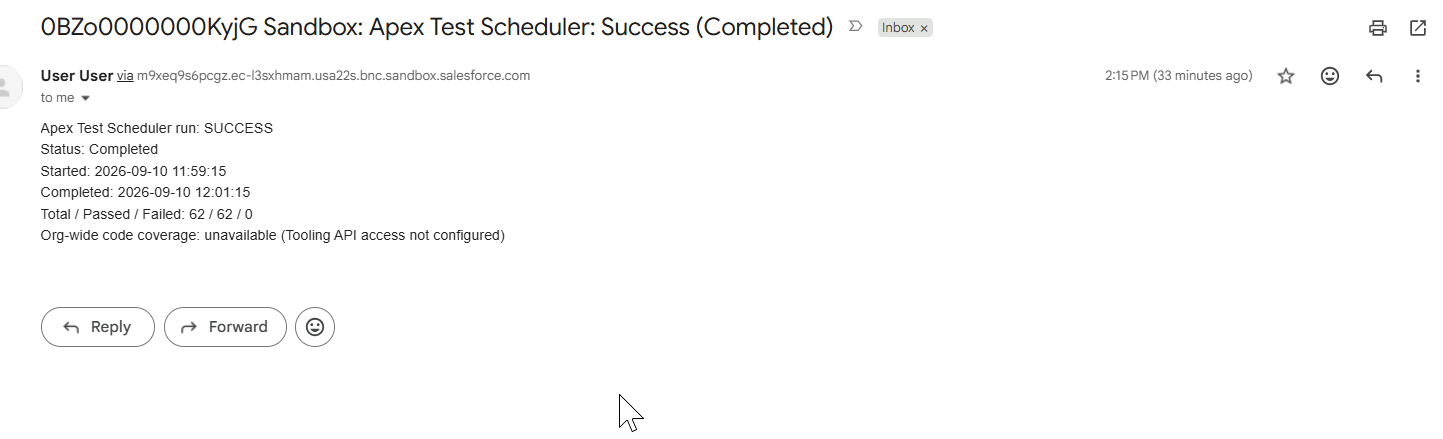
The completion notification summarizes the run. This example shows a successful run with 62 tests passed; coverage is reported as unavailable when Tooling API access is not configured.
What it does
Built with Apex and Lightning Web Components to make scheduled testing visible and manageable for Salesforce teams.
Run all Apex test classes or a selected set. Choose days and a run time, see existing schedules and their next run, and select a schedule to edit, deactivate, or delete.
Start a run on demand and review recent execution history, completion status, and total, passed, and failed test counts in the same Lightning interface.
Send completion summaries to configured recipients, including the run status, timing, and test results. Email delivery depends on the org’s sender and deliverability settings.
Install and explore
Choose the installation link for your Salesforce environment. After installation, assign the Test Scheduler Admin permission set and open Apex Test Scheduler from the App Launcher. The repository includes setup instructions and the MIT license.